 Almanac
A calendar knows a lot about you: where you'll be, who you're meeting, when you're away from home. We designed Almanac so that this information stays between your Mac and the services you already use. This post explains how that works, and what the small amount of data we do hold is for.
Direct connections, not a sync service
Many calendar apps sync through their own cloud. Your Google or Microsoft account connects to the company's servers, and the app on your computer then talks to those servers. Almanac doesn't work that way.
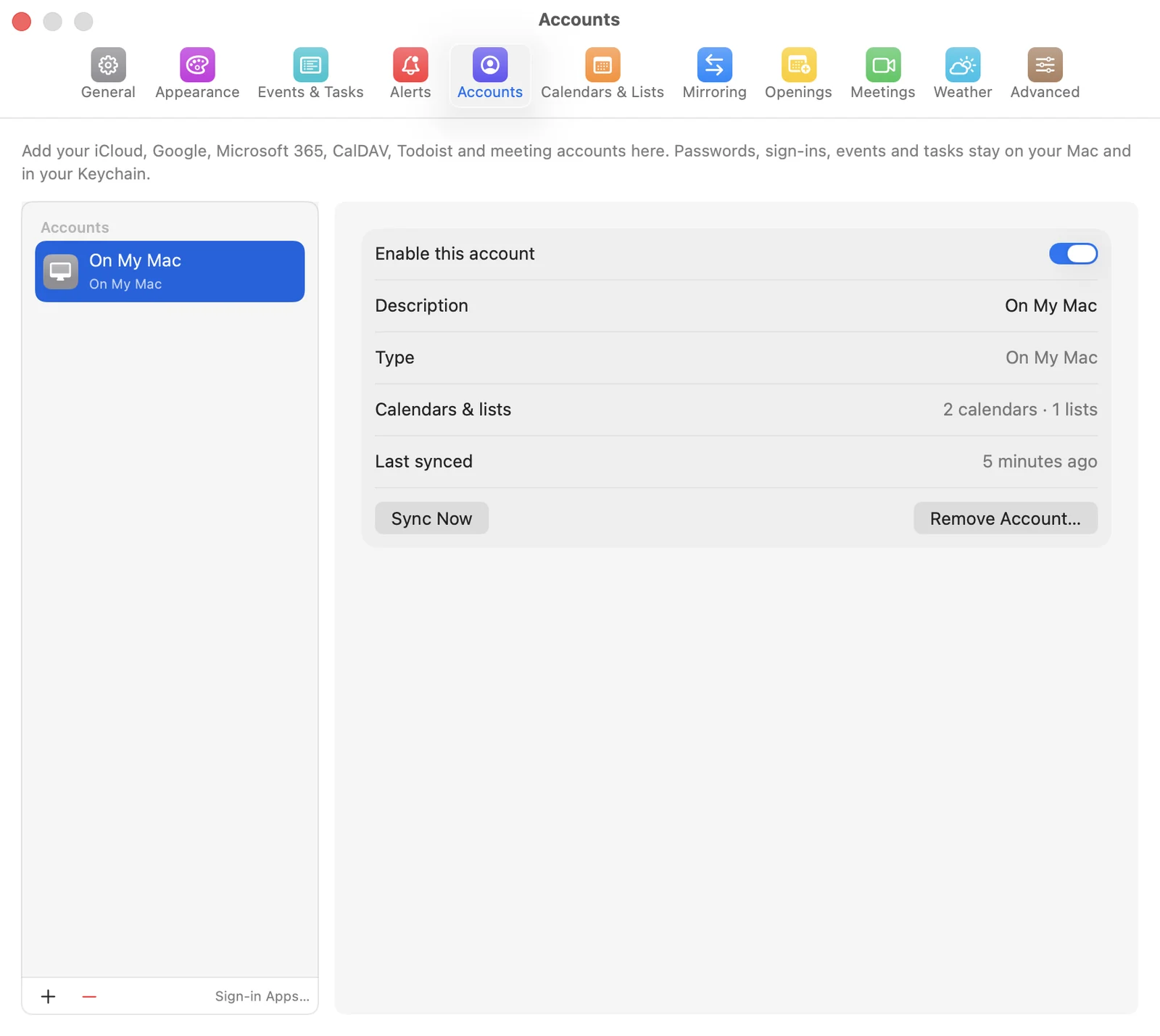
When you add an account in Settings › Accounts, Almanac on your Mac connects straight to that provider:
- Google Calendar and Tasks, and Google Meet if you connect it
- Microsoft 365 and Outlook.com, including Microsoft To Do and Teams
- iCloud, Fastmail, Nextcloud and any other CalDAV server
- Todoist, Zoom and any subscribed calendars you add by URL
Requests go from your Mac to that service and back, under that service's own privacy policy. Your events, tasks and contacts never pass through a server of ours, because we don't run one that receives them. Almanac also doesn't read the macOS Calendar database. It manages its own accounts, so it only sees the ones you add to it.
What lives on your Mac
To work without a connection, Almanac keeps an offline copy of your calendars and task lists in its folder at ~/Library/Application Support/Almanac. Three kinds of data stay on your Mac:
- Events and tasks from the accounts you connect, as that offline copy.
- Sign-in tokens and passwords, stored in the macOS Keychain rather than in a file of their own.
- Settings, such as views, alerts, calendar colours and templates, stored in macOS preferences.
When you remove an account in Almanac, its offline copy and saved sign-in are deleted from your Mac. If you delete the app and its folder, everything is gone.
Your sentences are understood on your Mac
The plain-English parser that turns lunch with Sam tomorrow at noon into an event runs on your Mac. Nothing you type is sent anywhere to be interpreted.
On Macs that support Apple Intelligence, you can choose to have Apple's on-device model refine tricky sentences. It's optional, and it also runs locally.
Several other features use data that never leaves your Mac. With your permission, Contacts are read for invitee suggestions and the Birthdays calendar, and the invitee suggestions Almanac builds are stored only on your Mac. Notifications are scheduled locally by macOS.
Optional services, only when you turn them on
Some features need help from an outside service. Almanac contacts these only when you use the feature:
- Weather comes from Open-Meteo. Almanac sends only an approximate location (rounded coordinates or a city you choose), with no account or identifier.
- Maps and travel time, for “time to leave” alerts, come from Apple Maps when an event has a location.
- Gravatar invitee pictures are off by default. If you turn them on, Almanac sends a one-way hash of invitees' email addresses.
You can turn off weather, location, contacts or Gravatar in Almanac's settings or in macOS System Settings › Privacy & Security.
What our account server holds
There is one thing we do run, which is the Almanac Account used for licences. To buy and use a licence, you sign in at almanac-cal.com or in the app. For that, our server stores:
- Your email address and the name you choose.
- Your licences: plan, number of Macs, expiry date and an order or subscription reference.
- Your activated Macs: each Mac's name as set in macOS, a random identifier the app creates, and when it was activated and last checked in.
- Subscription and invoice details from Stripe: plan, status, renewal or end date, invoice numbers and amounts, and your card's brand and last four digits. We never receive full card numbers.
The server also keeps your email preference (news emails are opt-in and never ticked by default) and short-lived sign-in records. The privacy policy lists every item in section 5.
None of this includes your calendars, tasks, contacts or sign-ins for other services. The app contacts our server only to sign in to your Almanac Account and to activate or renew your licence. You don't even need an account for the 14-day trial on first launch.
No analytics in the app
The Almanac app has no analytics, tracking or advertising SDKs. It doesn't send crash reports or usage data to us. We don't sell, rent or share personal data. As a result, we don't know which views you use or how many events you have. When something goes wrong, we rely on you to tell us.
Learn more
The privacy policy is the formal version of everything above. The privacy and data guide shows where each setting is and how to remove your data. If you have a question we haven't answered, get in touch.